
Your payment details and invoices live in your account, under Billing Details. Payments are processed securely by Stripe.
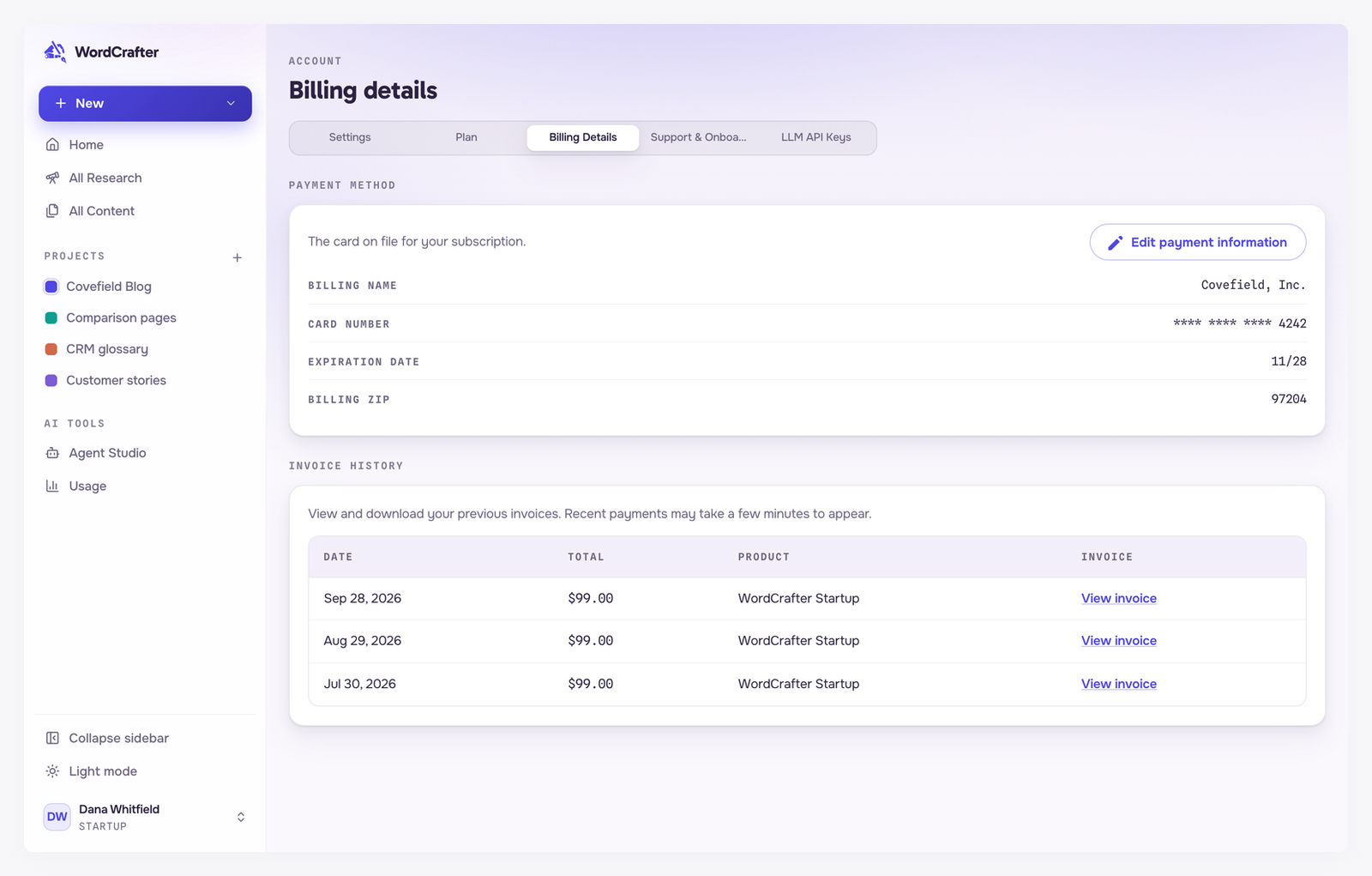
Payment methods
WordCrafter accepts Visa, Mastercard and American Express. Plans are billed monthly in US dollars.
Your card on file
Payment method shows the card your subscription is charged to: the billing name, the card's last four digits, its expiration date and the billing ZIP or postal code. Card details are handled by Stripe.
Update your card
Click Edit payment information.
Enter the new card's number, expiry date and security code, and the billing ZIP or postal code.
Click Update credit card.
Your next payment uses the new card.
Invoices
Invoice history lists each payment with its date, total and plan. Click View invoice to open the invoice, where you can download it.
A payment you just made can take a few minutes to appear.
If a payment fails
If a monthly payment does not go through, the plan keeps working while it is sorted out. A notice at the top of the app shows the date of the last try, and Billing Details shows what happened and when the next tries are.
The payment is retried automatically over the next 14 days, on a fixed schedule. The notice and the email tell you the date of the last try.
The quickest fix is to update your card under Billing Details. The new card is charged straight away, so it is settled in a minute and the retries stop. If your bank asks for an extra confirmation, it appears on the same screen.
If every retry fails, your subscription ends and your account becomes read-only. Your content is kept for 90 days. See Managing your subscription.
The free trial charge
Starting the free trial places a $1 authorization hold on your card to check that it works. It is not a charge, and it is reversed within 3 to 5 days. See The free trial.