
Before you start
A SERP research reads the first page of Google for one keyword. Halfway through, it asks what the searcher is after and what you want to build, then turns what it found into an outline or a page plan. You need a keyword and a project. Everything else on the form starts on Auto.
Each research spends one research credit, and only once WordCrafter has finished reading and classifying the ranking pages. If the run fails before your outline or page plan is saved, the credit comes back. Once it is saved, the credit stays spent, because you keep the outline or page plan: a failure in the later analysis steps finishes the run with a warning, and so does a stall. A run that stalls or is stopped before your outline or page plan is saved returns the credit and goes back to the picker.
Start a research
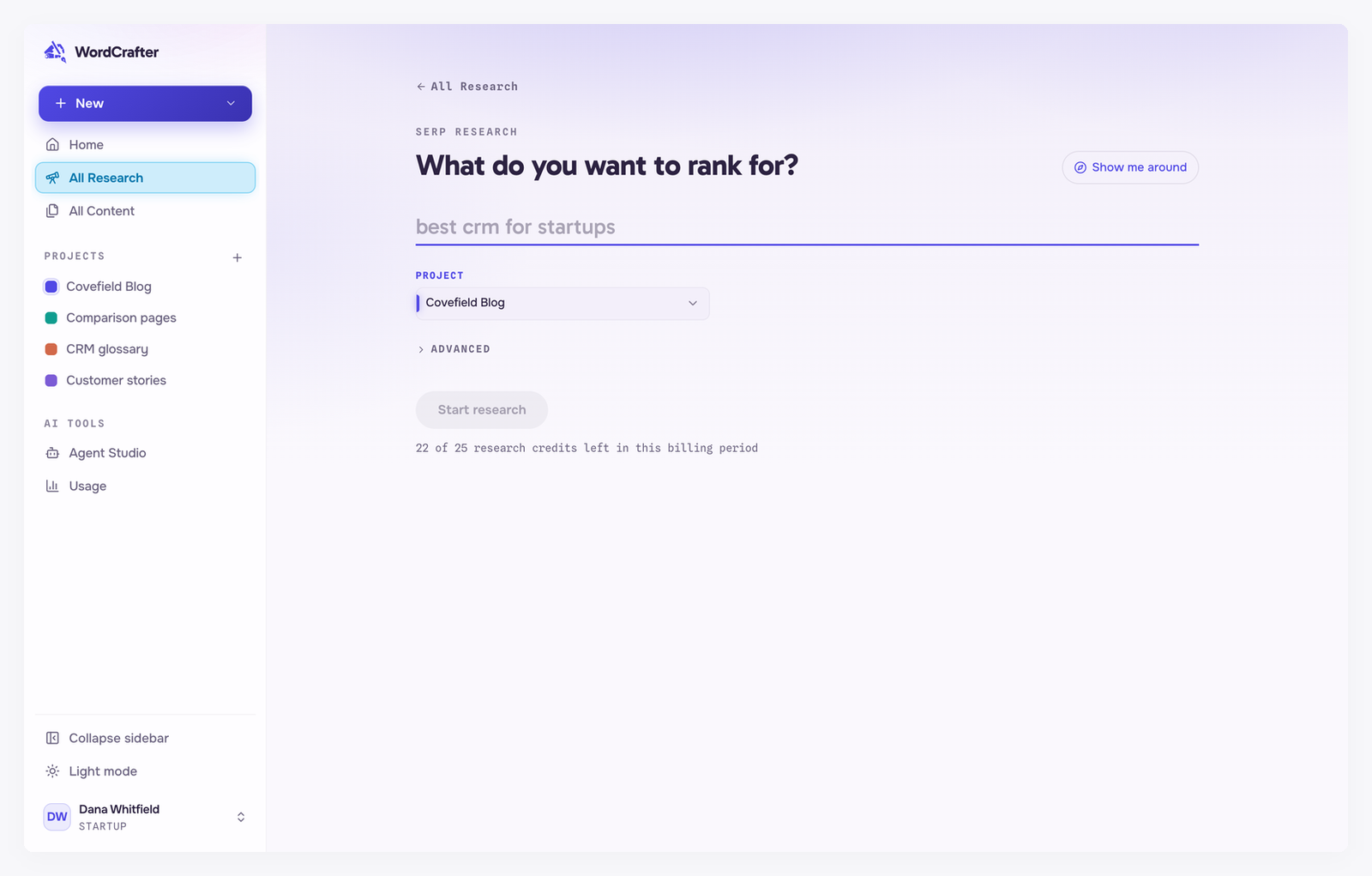
Open All Research and click New SERP research. Type the keyword you want to rank for, pick a project, and click Start research. The line under the button shows how many research credits you have left this month, or tells you when you have used them all.
The advanced settings
Open Advanced to choose the market you are researching. Both settings start on Auto, which lets WordCrafter decide.
Search country and Search language
These decide which Google you are reading. Set them to the market you are writing for, not the market you are sitting in.
The long-form defaults
A run also uses your long-form defaults: the content language, how many core topics an article outline gets, and how many subtopics sit under each one. You do not set these on each run. They are account defaults in Agent Studio → Content formats: the content language sits at the top, above the Long-form article and Commercial pages tabs, and the core topics and subtopics are under Long-form article. A project can set its own on its Agent Studio tab.
The content language is the language the whole report comes back in, for articles and commercial pages alike. It is also the language the AI writes in by default. It does not have to match the search language. On Auto, it follows the search market.
Running a research again uses the defaults as they are at that moment. A research started before these settings moved to Agent Studio is a little different: any value it was started with (a language, a number of core topics or a subtopics choice) is kept when you run it again. Only the settings it left on Auto follow your current defaults.
While it runs
A full research usually takes a few minutes, because WordCrafter fetches and reads every ranking page. It is safe to leave. The run continues in the background and is waiting for you when you come back.
Once the ranking pages have been read and classified, the run stops and asks you to choose a search intent and a format. See choosing a search intent and format.
Changed your mind? Cancel run stops it after the current step. Cancel before the picker and normally nothing is charged. If the run finishes reading and classifying just as you cancel, the credit is spent and the run waits at the picker for you. Cancel while the outline or page plan is being built, before it is saved, and the credit normally comes back, with the run waiting at the picker. Once your outline or page plan is saved, canceling keeps it: the run is finished and the credit stays spent, and some of the later analysis steps may be missing.